 WinGit
Use Git easily and simply
WinGit is a free, open-source desktop Git client. History graph, side-by-side diffs, staging, branches and merges — all in one window.

Other downloads — Windows: MSI, ZIP, Chocolatey · Linux: DEB, RPM, tar.gz · macOS is planned
Apache-2.0 · Privacy policy
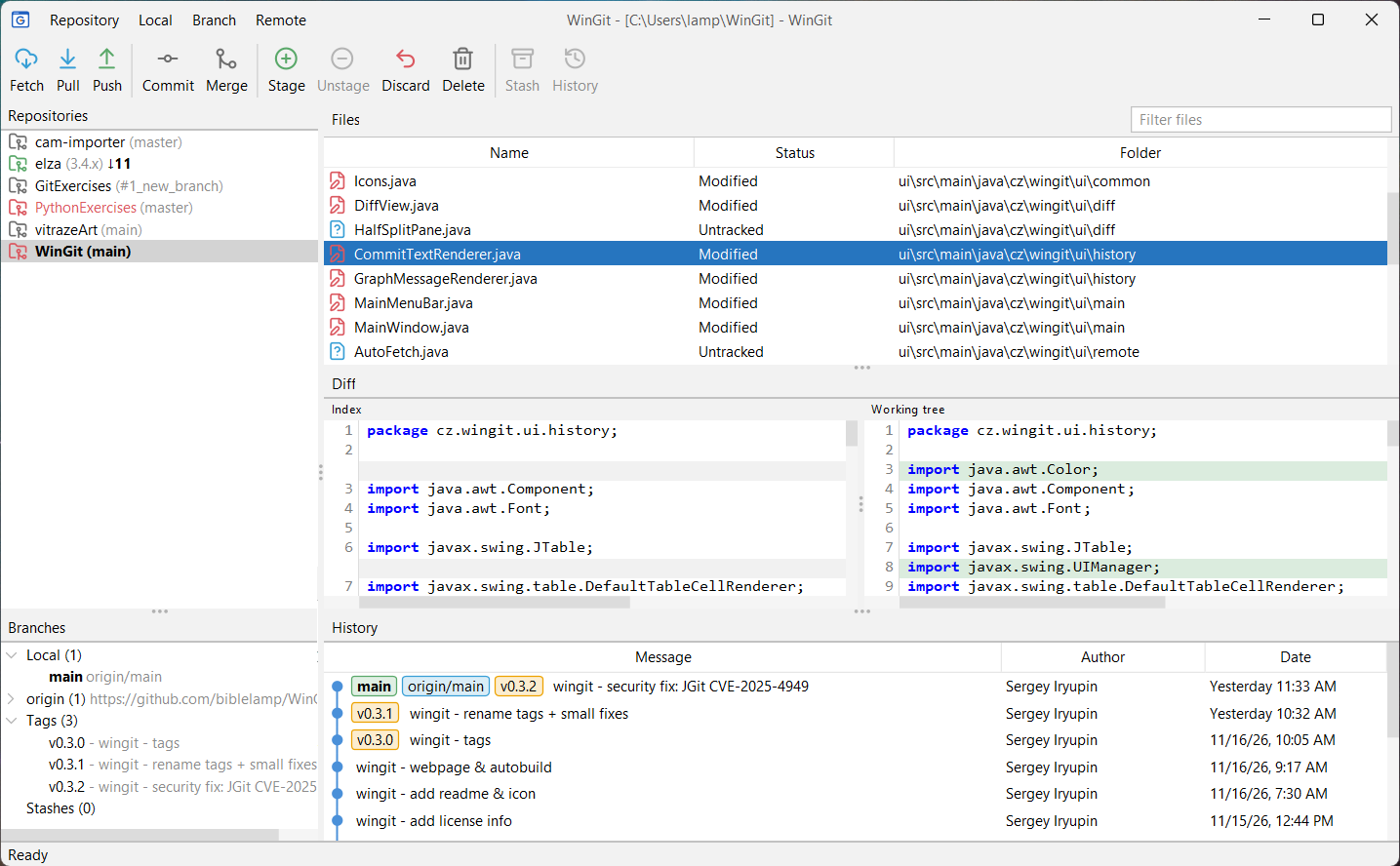
Features
Full history
See branches and merges as a clear commit graph. The history window shows the whole history of a branch, each commit’s files and diffs, and a quick filter.
Side-by-side diff
Two aligned columns with syntax highlighting; the changed words stand out, and a strip beside the diff marks every change.
Search and full screen
Find text in the diff with Ctrl+F; double-click a file to see its diff in a full-screen window.
Staging
Stage, unstage or discard files before you commit.
Commit, push, pull
Everyday work with remotes, without the command line. Forgot a file? Amend the last commit until it is pushed.
Branches and merges
Create, rename, delete and merge branches in a few clicks. Before a merge you see what comes in, how the history will look and whether there will be conflicts.
All your repositories
Keep them in one list; the ones with changes stand out, and new commits on the server are fetched in the background.
English, Russian, Czech
WinGit speaks your system language, or the one you pick in Settings.
Light or dark
Choose a light or dark theme; the diff colors follow it.
Why WinGit?
For more than ten years I have worked with Git through a commercial desktop client. It is a very convenient tool, but some things were always missing, and I filled those gaps on the command line.
At some point I thought it would be good to have a similar client that is open source: free to use, study and change, with no license fees or usage restrictions, so that anyone can add the features they need.
WinGit is that client. It already works for everyday tasks, and I use it myself while it grows.
The “Win” in WinGit stands for window: a windowed Git client, not a Windows-only one.
Status and plans
- Now: early but working — repositories, files, branches, history, diffs, staging, commit and amend, push, pull and merge; in English, Russian or Czech, with a light or dark theme. New in 0.4.2: switching branches with uncommitted changes – WinGit stashes them, switches and brings them back. Merge conflicts still need another tool.
- Next: help with merge conflicts, staging parts of a file and a macOS build — see the roadmap.
Want to help? Download WinGit, try it on your repositories and tell us what works and what doesn't. Bug reports, ideas and pull requests are welcome.